Forking
Committe members have full reign over Skynets repos, which is both terrifying and helpful.
If any member thinks they would want to add something that could be useful.
They must follow these steps.
Fork
- Click on a repo.
- Top right corner, click on Fork -> Fork Repository.

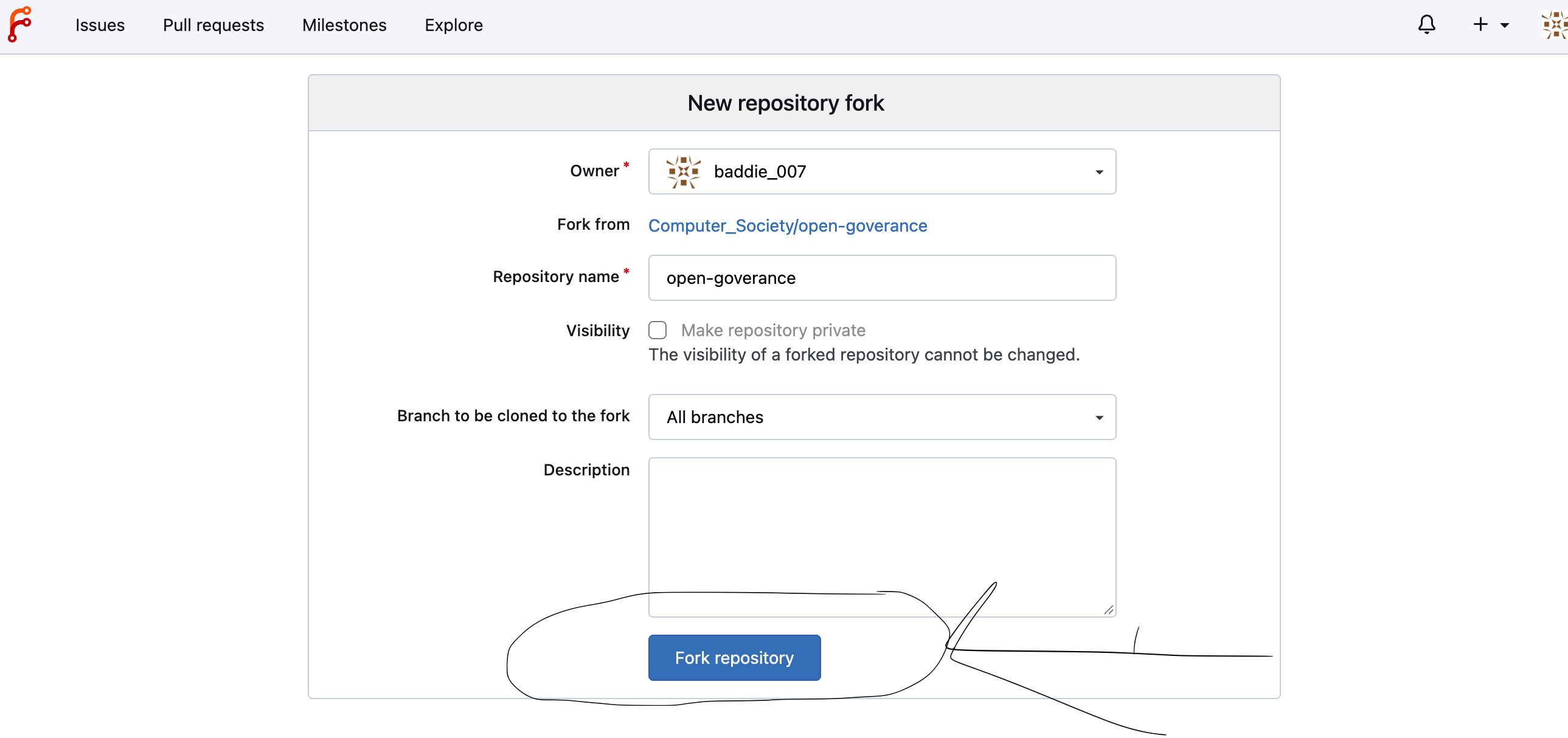
This creates a copy of the repo to your account.
Now you can clone this copy repo to your device.
Commit and Push changes without having to worry about changing the original repo.
Pull Requests
Once you have pushed your changes to your copy repo, you must now create a pull request.
The reason is for your changes to be reviewed before having to be deployed on to the original repo.
To do a pull request:
- Go to the original repo
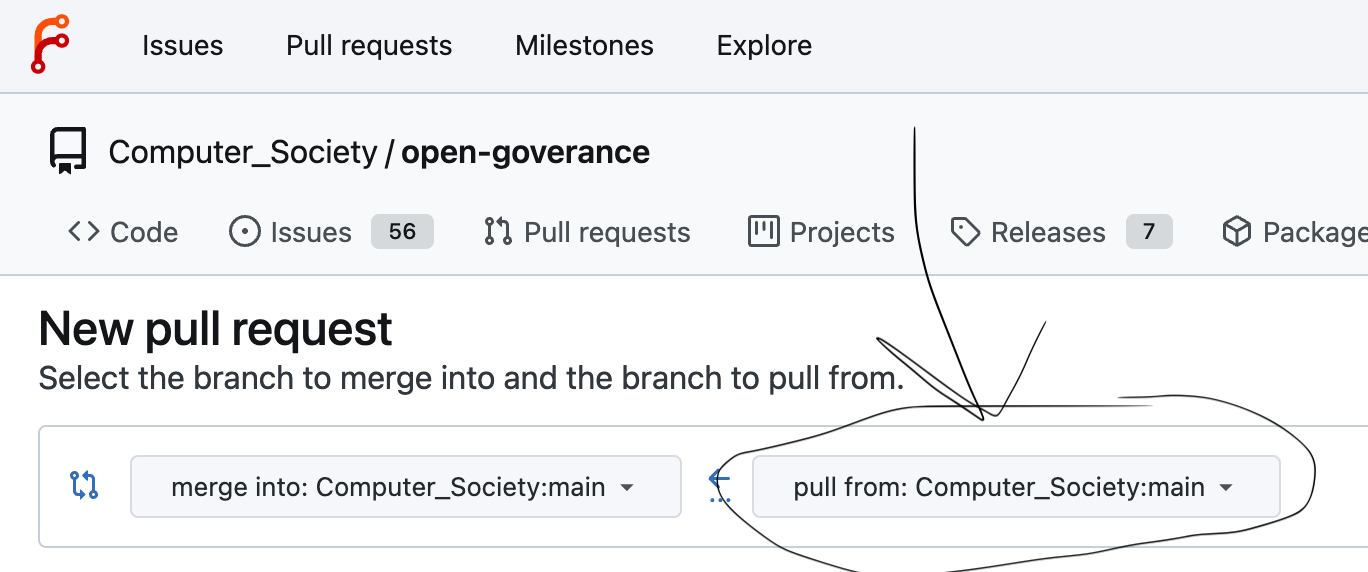
- pull request -> new pull request
 3. Click on the right box and search for your clone repo branch
 .
4. Click on new pull request.
.
4. Click on new pull request.
 .
.
Now wait for your PR to be reviewed by the Skynet Team.
They can make comments on your PR if they are some mistakes or need changes.
If the reviewer likes your changes, they will accept your PR.