How to edit the Wiki
This wiki is intended to be an evergreen repository of information to be passed forward to current and future generations of Computer Society members.
Dont take it as complete, it can always be improved and refreshed.
Forking/Pulling
It is recommended that you fork the repo to work on a copy of it.
Instructions to fork can be found over here
The wiki's repo can be found here: https://forgejo.skynet.ie/Skynet/wiki
Editing
Online
You can edit the wiki online, its generally quick and easy.
However you cannot preview what teh changes are going to be like.
- Go to your forked repo (or for committee the compsoc one).
- Go to the page/file you want to edit.
- At teh top right of the file there is an edit symbol, click it.

- Make your changes in teh provided box
- When complete leave a description of the changes and then
Commit Changes
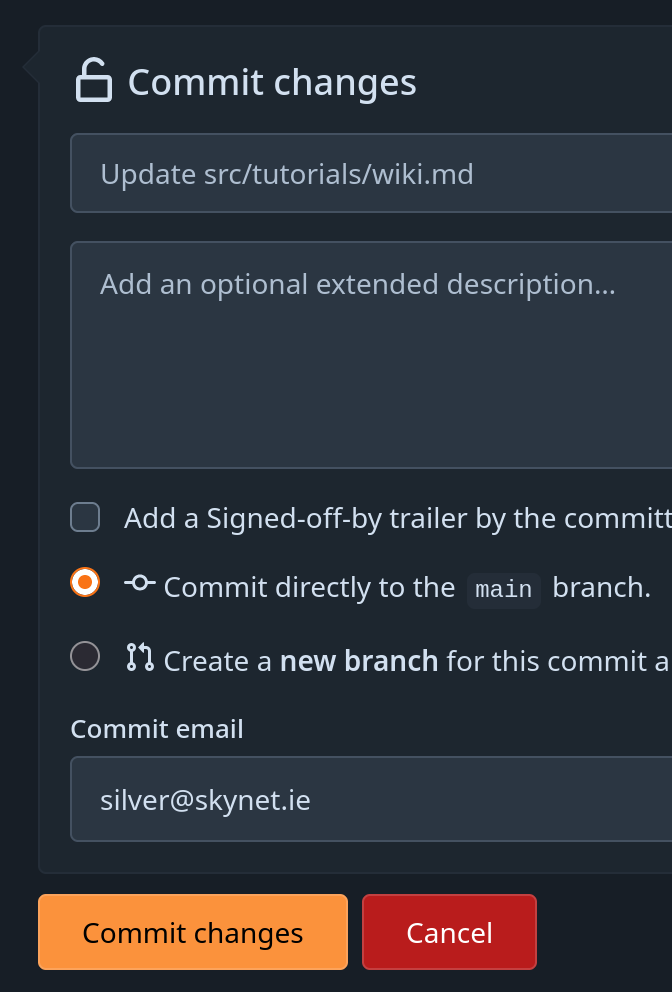
If you did the changes on a forked copy of the repo you will have to do a pull request.
Details on how to do a PR are here
Locally
Locally editing the repo gives one of teh best experiences as you can see what teh page looks like before you commit it.
You can open the repo in any IDE you wish to edit the files found in src.
Local Install
Nix
If you have nix on your system use nix develop to setup the local env.
This puts zensical and all dependencies into the local environment.
DirEnv
If you have both nix and direnv then you can pass direnv allow and any time you enter the directory it will automatically run nix develop.
Python
If you do not have nix then you will have to use the Python install method for zensical as well as its dependencies
- https://zensical.org/docs/get-started/#install-with-pip
- https://lukasgeiter.github.io/mkdocs-awesome-nav/#installation
Local Running
Once you have gotten zensical installed then you can simply run zensical serve to start teh server locally.
If you go to http://127.0.0.1:8000 in your browser you will se what teh docs look like.
Tips
Paragraphs
To create a paragraph you need two spaces at the end of the first line then a newline
This is the first line.This is the second line.
Lists
To nestle lists you need to use 4 spaces before teh - for the nestled list.
- This is the first line.
    - This is the second line.
Pushing
Committee
Committee are able to push directly to the wiki if needed.
Members
Members are able to do a pull request, details on how to do a PR are here