Logging Attendance
- Domain - https://cp.ulwolves.ie
- Account - Your personal account
While we have bookings open for most of our events it is only a few that we are required to log attendance.
General meetings are one type of event we do.
Any event with any form of food provided also needs to be logged now.
In general logging the events is good for our own statistics as well as to show that we are active as a society.
Instructions
Attendances only work for events with pre booking enabled.
See Event Creation for more info on that.
Finding the event
- All attendances (current/historical) can be found here:
- https://cp.ulwolves.ie/committee/attendances
- You can start logging attendances one hour before the event.
- Select teh event you want to log attendances for (blue button):

Logging in
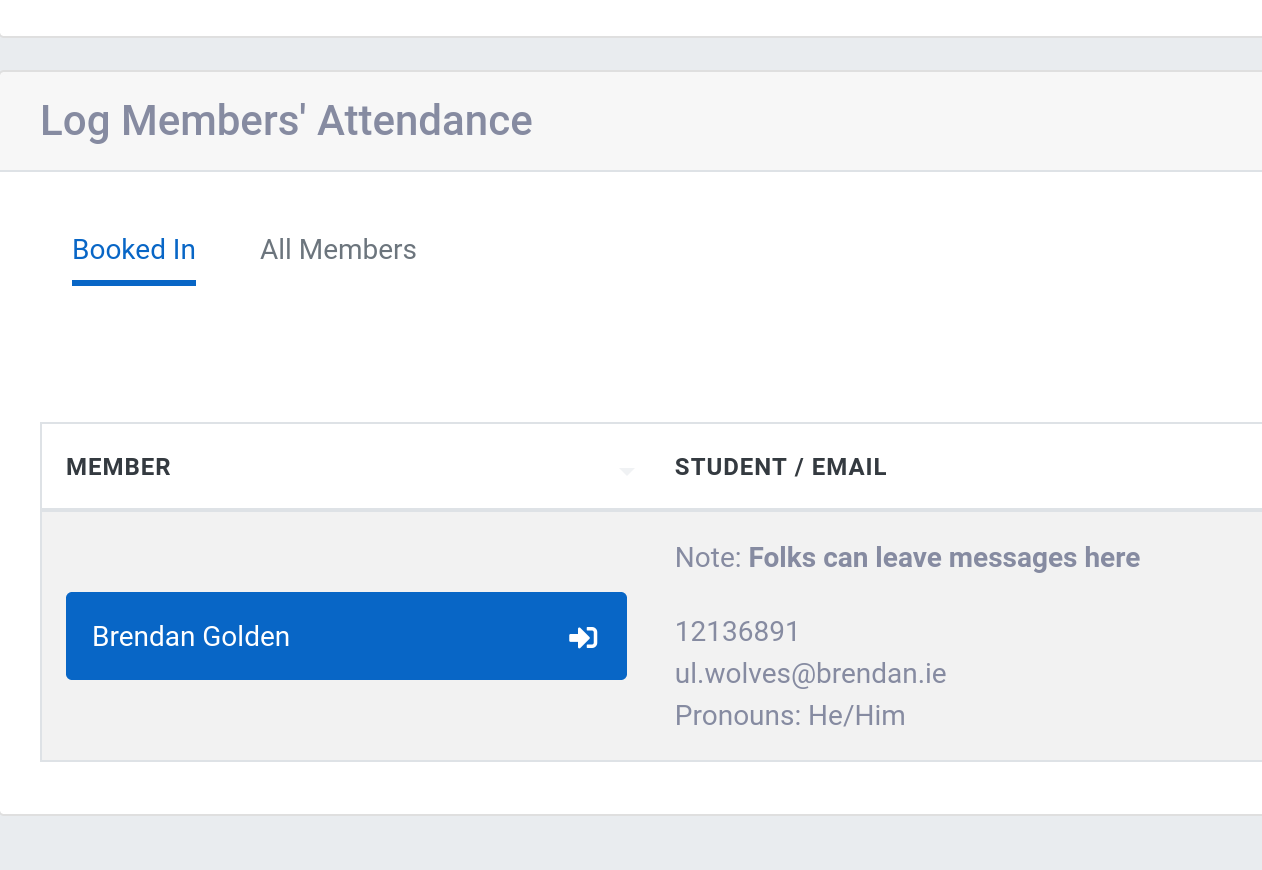
- If someone has booked in then you will find them on the first tab:
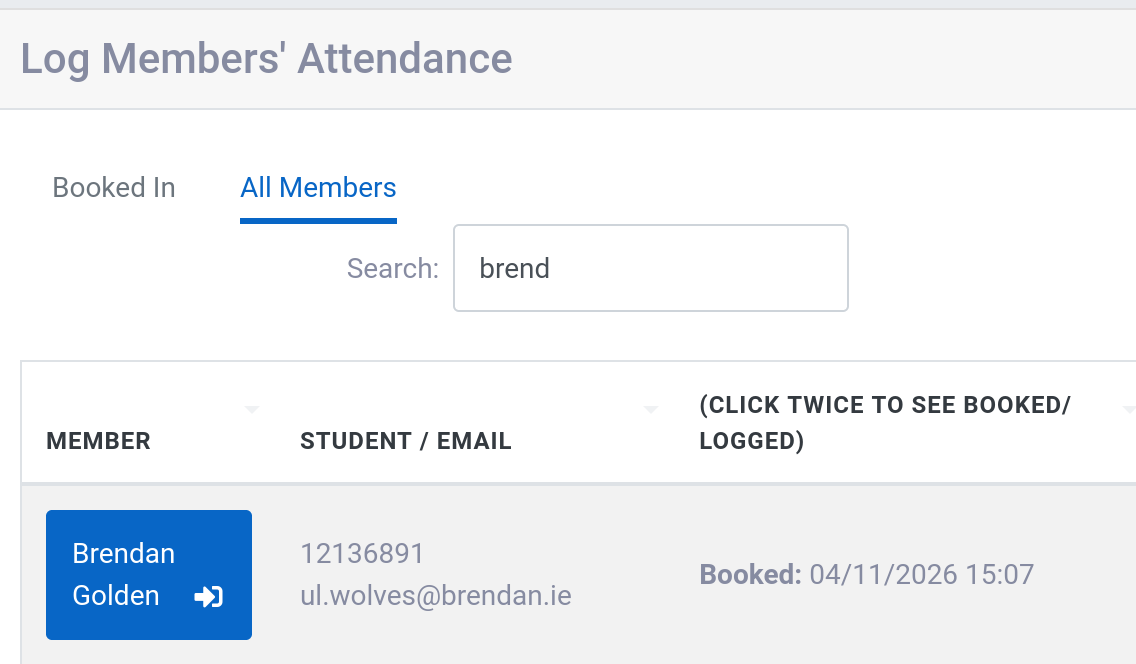
- If someone didnt book in advance you can search for them in teh all members tab:
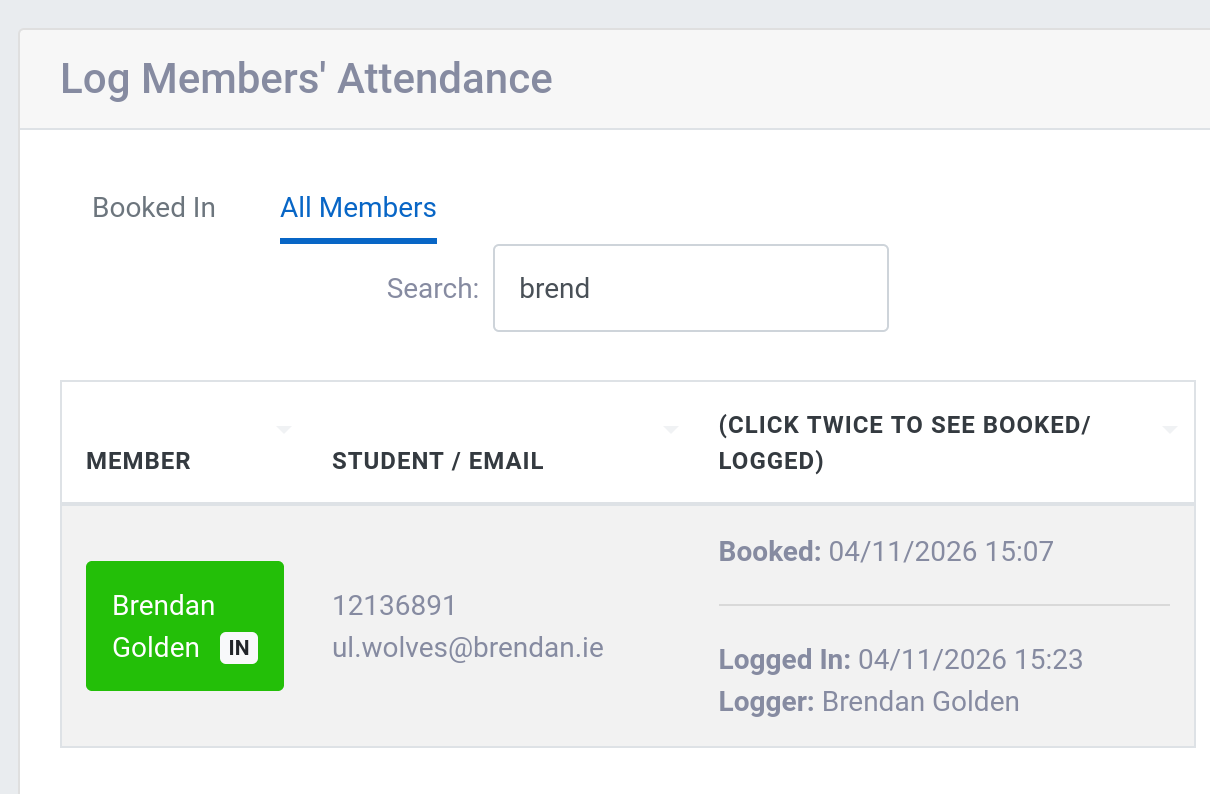
- Click on their name to log them in:
Logging out
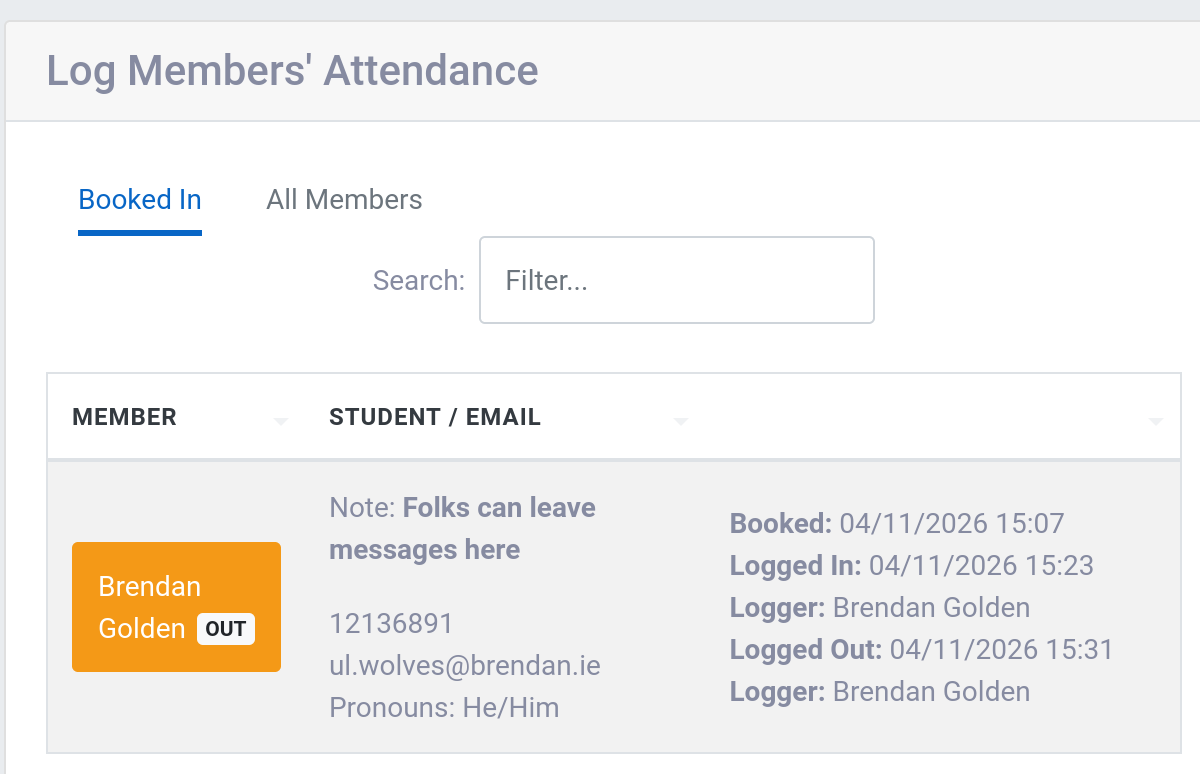
- To log someone out click on them again:
- Alternatively you can use teh
Log all outbutton to get everyone at once:
- As you can see the column on the right keeps a log of bookings, logging in and out.